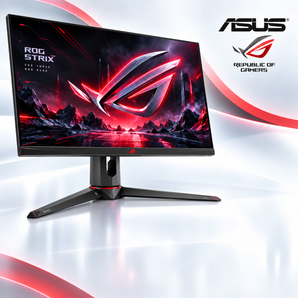
Purchasing a used computer can be a cost-effective way to obtain reliable technology while staying within a budget. The UK market offers a range of reputable outlets that specialise in refurbished and pre-owned devices, providing options that balance performance, warranty coverage, and environmental responsibility. By understanding key considerations, such as device condition, specifications, and after-sales support, buyers can make informed decisions and enjoy long-term value from their investment.
Why Choose a Used Computer?
Opting for a pre-owned system delivers several tangible benefits:
- Cost Savings: Prices are typically 30-60% lower than brand-new equivalents.
- Environmental Impact: Extending the life cycle of hardware reduces electronic waste.
- Quality Assurance: Reputable sellers often perform thorough testing and refurbishment.
- Warranty Options: Many stores include limited warranties that protect against early failures.
For a deeper dive into the advantages of refurbished technology, Read more about this topic.
Assessing Device Condition
Understanding how a used computer is graded helps set realistic expectations. Common grading systems include:
Grade A – Like New
- Minimal signs of wear.
- All original components functional.
- Typically includes a full manufacturer warranty.
Grade B – Excellent
- Light cosmetic wear (scratches, minor dents).
- Fully tested hardware.
- Often comes with a limited seller warranty.
Grade C – Good
- Noticeable cosmetic imperfections.
- All core components verified to work.
- Warranty may be shorter or optional.
Choosing the right grade depends on budget constraints and aesthetic preferences. Detailed grading explanations can be found in many guides; Learn more in this detailed guide.
Key Specifications to Evaluate
Even within the used market, certain specifications remain critical for performance and longevity:
- Processor (CPU): Look for recent generations (e.g., 10th-gen Intel or AMD Ryzen 3000 series and newer) to ensure compatibility with modern software.
- Memory (RAM): Minimum 8″?GB for general use; 16″?GB or more for intensive tasks such as video editing or gaming.
- Storage: Solid-state drives (SSD) provide faster boot times and reliability; consider a minimum of 256″?GB.
- Graphics: Integrated graphics suffice for everyday work, while a dedicated GPU is necessary for gaming or CAD applications.
- Ports and Connectivity: Verify the presence of USB-C, HDMI, Ethernet, and Wi-Fi standards that match your workflow.
For a comprehensive checklist of specifications, Explore further insights here.
Evaluating Seller Credibility
When shopping for used computers, the credibility of the retailer is paramount. Consider the following factors:
- Testing Procedures: Sellers should disclose their refurbishment process, including hardware diagnostics and cleaning.
- Return Policy: A clear, reasonable return window (typically 14-30 days) protects against unexpected defects.
- Warranty Coverage: Look for at least a 90-day warranty; longer periods indicate confidence in product quality.
- Customer Support: Availability of technical assistance via phone, email, or chat can be valuable post-purchase.
Guidelines on selecting a trustworthy outlet are available at Find additional information here.
Cost-Effective Purchasing Strategies
Implementing smart buying tactics can stretch your budget further:
- Seasonal Sales: Many retailers run promotions during holidays or back-to-school periods.
- Bundle Deals: Purchasing a laptop with accessories (e.g., a mouse or external drive) may reduce overall cost.
- Clearance Stock: Units returned for minor reasons are often discounted heavily.
- Negotiation: Some sellers are open to price adjustments, especially for bulk orders.
Environmental and Ethical Considerations
Choosing refurbished hardware contributes to a circular economy. Benefits include:
- Reduced demand for new component manufacturing.
- Lower carbon footprint associated with production and transportation.
- Support for responsible e-waste recycling programs.
For more insight into sustainable technology practices, Read more about this topic.
Final Checklist Before Purchase
- Confirm the device grade and understand any cosmetic imperfections.
- Verify that the CPU, RAM, storage, and graphics meet your performance needs.
- Check the seller’s testing, warranty, and return policies.
- Assess additional costs such as shipping, taxes, or optional accessories.
- Review any available guides or FAQs on the retailer’s website for specific model information.
By following these guidelines, shoppers can confidently navigate the UK used computer market, securing reliable technology at a fraction of the original price while supporting environmentally responsible practices.
About the Author